Call of Duty
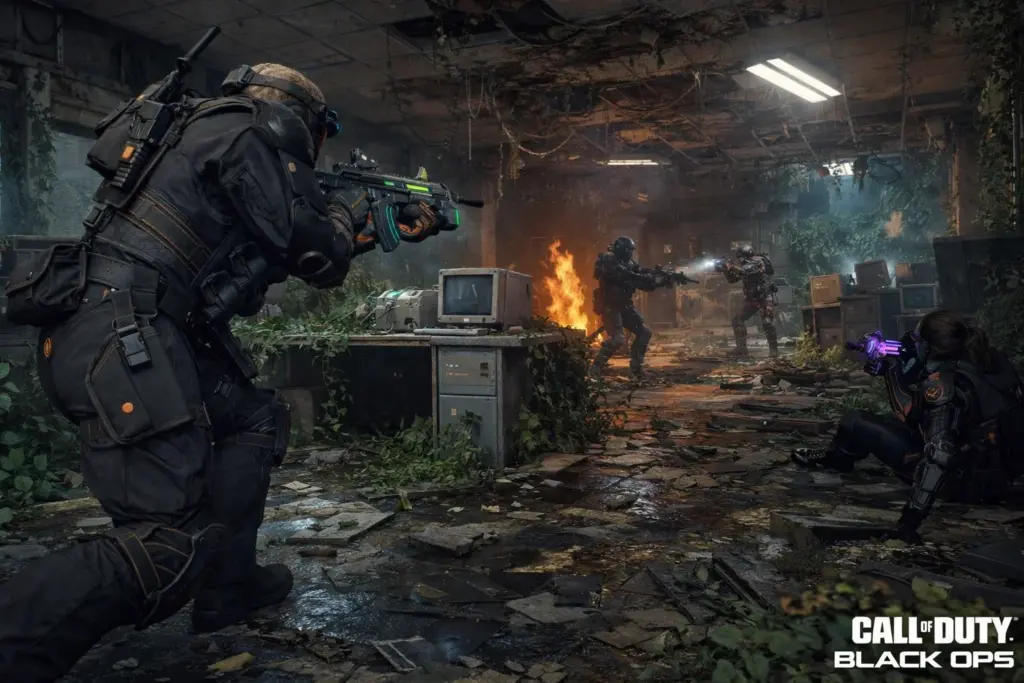
Black Ops 6 lets you squad up with friends across PC, PlayStation, and Xbox without worrying about platform barriers. Crossplay works automatically once you link your Activision account, and your progress follows you everywhere.
This guide covers which platforms work together, how to add cross-platform friends, what carries over between systems, and how to adjust matchmaking settings to avoid PC cheaters if you’re on console.
Can you play Black Ops 6 cross platform?
Yes, Black Ops 6 supports full crossplay across PC, PlayStation, and Xbox. You can team up with friends on any platform for both Multiplayer and Zombies modes.
The system works through your Activision account, which links all your gaming platforms together. Once you’ve connected everything, you add friends using their Activision ID and jump into matches regardless of who’s on what console or PC.
Supported platforms include PC (Steam and Battle.net), PlayStation 4, PlayStation 5, Xbox One, and Xbox Series X|S. All you need is that Activision account to tie everything together.
Cross-progression comes standard too, so your stats, unlocks, and Battle Pass progress carry over everywhere. Switch from your PlayStation to PC mid-season? Your loadouts and rank stay exactly where you left them.
Which platforms and generations work together?
Black Ops 6 crossplay covers PC (Steam and Battle.net), PlayStation 4, PlayStation 5, Xbox One, and Xbox Series X|S. The game doesn’t separate old-gen from current-gen, so a PS4 player can squad with someone on Series X without issues.
Here’s what works together:
- PC players on Steam or Battle.net can match with each other and all console players
- PlayStation owners on PS4 or PS5 can play together and with other platforms
- Xbox users on Xbox One or Series X|S can crossplay with everyone
- Cross-generation play lets old-gen consoles (PS4, Xbox One) team up with current-gen (PS5, Series X|S)
- PS5 with Xbox One? Absolutely works
- PC with PS4? No problem
Nintendo Switch doesn’t have Black Ops 6, so there’s no crossplay option there. Otherwise, the game treats all platforms equally for matchmaking purposes.
How does crossplay work in Black Ops 6?
Setting up crossplay takes about five minutes and starts with creating or linking an Activision account. The game prompts you to do this on your first launch if you don’t have one already.
You’ll link your gaming platforms through the account management section in-game. After linking, your progress syncs automatically across all systems. Friends get added using their Activision ID, which looks like a username plus a number tag (PlayerName#1234567), not their platform-specific gamertag.
The matchmaking system uses input-based matching in most modes. Controller players typically match with other controller users, while keyboard and mouse players get grouped together. This balances the natural advantages of different input methods, though casual modes mix everyone more freely.
Crossplay stays on by default. Console players can adjust settings to limit matchmaking, but PC players have fewer options here.

Source: callofduty.com
How to enable, disable, or adjust crossplay settings
Console players get more control over crossplay than PC players do. The options work differently depending on your platform.
PlayStation and Xbox options
Open Settings, then Account & Network, then Crossplay to toggle the feature. Turning crossplay off completely means you only match with players on your exact platform (PS5 with PS5, Xbox Series X with Series X).
For console-only crossplay, which lets you play with other console players while avoiding PC lobbies, look for “Input Device” or “Console Only” in matchmaking preferences. This option appeared in Season 2 and helps console players dodge PC cheaters without completely isolating themselves from the crossplay pool.
Some modes like Ranked Play might require crossplay enabled for faster matchmaking. The game will tell you if a mode needs it turned on.
PC limitations
PC players can’t disable crossplay through in-game settings. You’re always in the general matchmaking pool with console players who have crossplay enabled.
Disabling crossplay at the Steam or Battle.net level sometimes works, but it often breaks matchmaking entirely or creates queue times so long you’ll give up. Most PC players just leave it on.
Fixing common problems
Can’t find friends or join their lobby? Check that both players have crossplay enabled, you’re using the correct Activision ID with the number tag, and your game versions match.
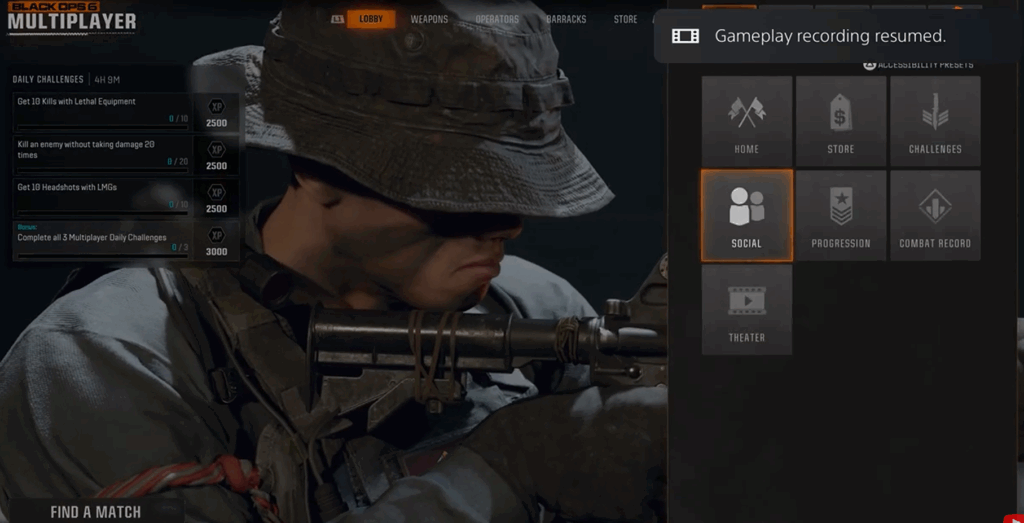
Friend requests sometimes don’t go through on the first try, so double-check the Social menu.
Lobby errors usually clear up by restarting the game or having the party leader remake the lobby. If problems stick around, check Activision’s server status before diving into complicated troubleshooting.
Does Black Ops 6 have cross-progression?
Cross-progression means your account progress transfers between platforms automatically. Black Ops 6 includes full cross-progression for everything tied to your Activision account.
What moves with you:
- Player level and prestige: Your rank carries over exactly
- Weapon progression: All weapon levels and camo unlocks transfer
- Cosmetics: Operator skins and other unlocks work everywhere
- Battle Pass: Your progress and rewards sync across platforms
- Stats and loadouts: Match history and class setups stay intact
CoD Points don’t transfer. The premium currency stays locked to the platform where you bought it. Purchase 2,400 CoD Points on PlayStation, and you can’t spend them on PC. Your Battle Pass and unlocked items work everywhere, but the currency itself is platform-specific.
You have to use the same Activision account on all platforms for this to work. Logging in with different accounts creates separate profiles with zero shared progress.
How to add friends across platforms
Adding cross-platform friends requires their Activision ID, which looks like a username followed by a hashtag and seven numbers (GhostRider#8472951). You can find your own ID in the Social menu or Account settings.
Here’s how to do it:
- Open the Social menu and select Add Friends
- Type their full Activision ID exactly as shown, including the number tag
- Send the request
- They accept it under pending invites in their Social menu
- You can now invite them to your party
The system won’t find them if you only use the username part without the numbers.
Share Activision IDs through text or Discord instead of reading them over voice chat. The number tags are long enough that you’ll probably mess them up trying to say them out loud.
Account security and crossplay risks to avoid
Linking platforms through your Activision account creates one login that controls everything. If someone gets into that account, they potentially access all your connected gaming profiles.
Use a unique password for your Activision account, not the same one you use for email or other games. Turn on two-factor authentication through the account security settings. Most account takeovers happen because people reuse passwords or skip 2FA.
Watch out for common scams:
- Free accounts with rare skins: Always stolen or fake
- Account recovery services: They’ll steal your login
- Boosting through account access: Violates terms and risks account action
- Phishing emails: Check sender addresses carefully before clicking anything
If you’re looking to buy an established account or skip the grind, stick with marketplaces that hold payments until you confirm receipt. Platforms like Eldorado use escrow to prevent sellers from disappearing with your money.
Learn more about how to buy an account safely, and if issues arise, check out the dispute process for account orders.