Grow a Garden
Having trouble finding the Gear Shop in Grow a Garden Roblox? You’re not alone, this is one of the first frustrations many players hit when they want to upgrade their tools and speed up their progress. Here’s exactly how to find the Gear Shop quickly, so you can start buying the gear you need and get back to growing your garden.
This guide will show you exactly where to find the gear shop in Grow a Garden Roblox, explain what to do if it’s not showing up, and cover the different types of garden gear you can buy there.

Where Is The Gear Shop In Grow A Garden
The Gear Shop is located at the opposite end of the play area from the Seed Shop and Sell Stand. It has a green and white striped canopy that makes it easy to spot once you know what to look for.
From the spawn point, walk past the Seed Shop while keeping the Sell Stand on your left. Continue walking toward the far end of the map until you see the Quest Giver NPC and the Pet Egg Shop. The Gear Shop sits right next to these two features.
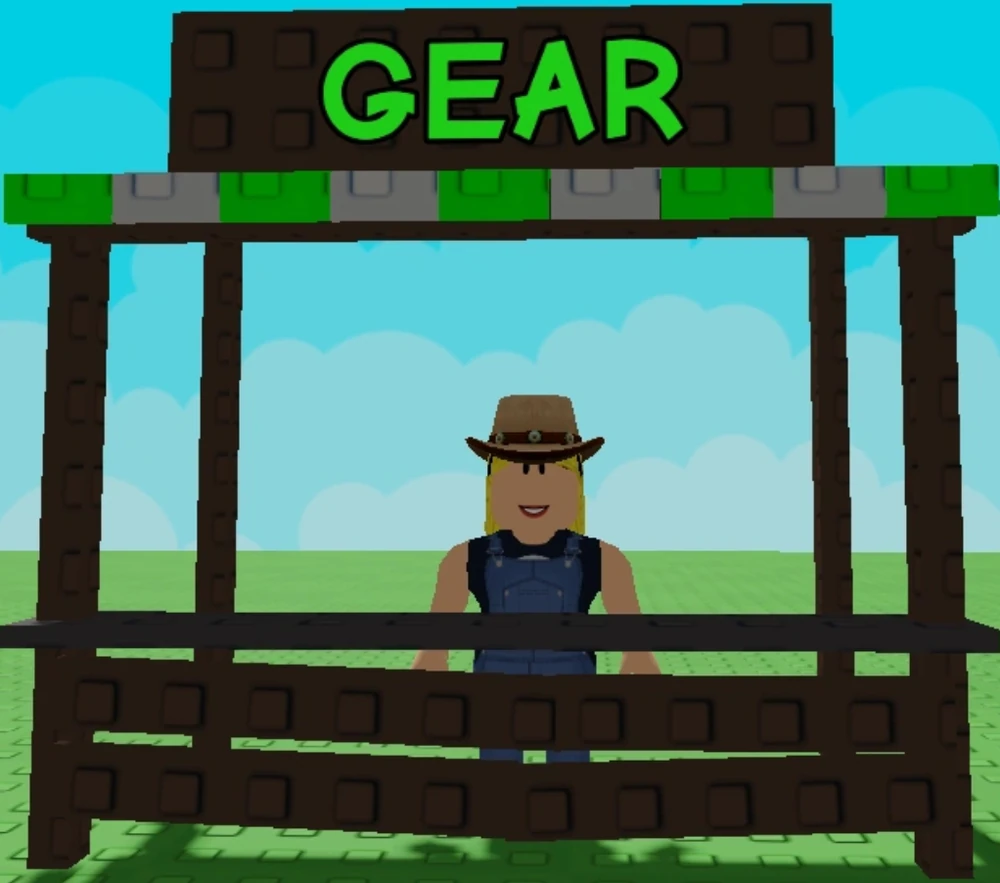
Key location markers:
- Main landmark: Green and white striped canopy
- Relative position: Opposite end from Seed Shop
- Nearby features: Next to Quest Giver NPC and Pet Egg Shop
There’s no teleport button for the Gear Shop like there is for some other locations in the game. You’ll need to walk there each time you want to buy new garden gear.
Why The Gear Shop Might Be Missing
If you can’t find the Gear Shop, don’t worry, you’re not alone. Many new players face this issue because the shop doesn’t appear right away.
To unlock the Gear Shop, you need to sell at least one fruit or plant at the Sell Stand first. This is a requirement for all new players joining the game. Once you’ve made your first sale, the shop should become visible on the map.
Sometimes, even after selling something, the Gear Shop still doesn’t show up. This happens because of a known bug in the game that prevents certain buildings from loading properly. The simplest fix is to leave the server and join a new one. If that doesn’t work, try restarting Roblox completely.
If you’ve tried these steps and still can’t see the Gear Shop, it might be worth checking if the game has been updated recently. Occasionally, updates can change shop locations or access requirements.
Which Items Are In The Garden Gear Shop
The Gear Shop sells tools that help you grow plants faster and get better results from your garden. Each item has a different function and price, with more powerful gear costing more Sheckles (the in-game currency).
Watering Cans 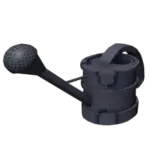
Watering cans speed up plant growth and come in several versions:
- Basic Watering Can: Costs 50,000 Sheckles, has 10 uses
- Higher-tier cans (when available): More expensive but last longer
The watering can is usually the first piece of gear most players buy. It’s essential for speeding up growth, especially for slower-growing plants like pumpkins or watermelons.
Sprinklers
Sprinklers are more advanced garden gear that provide ongoing benefits to plants in their area. There are four main types:
| Sprinkler Type | What It Does | Approximate Cost | Duration |
|---|---|---|---|
 Basic Sprinkler |
Increases fruit size | 25,000 Sheckles | 5 minutes |
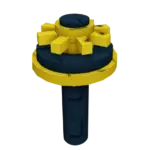 Advanced Sprinkler |
Boosts mutation chances | 50,000 Sheckles | 5 minutes |
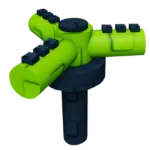 Godly Sprinkler |
Increases size and mutation chances | 120,000 Sheckles | 5 minutes |
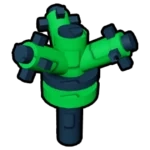 Master Sprinkler |
Maximum boost to all growth aspects | 10,000,000 Sheckles | 10 minutes |
Sprinklers are placed on the ground near your plants. Unlike watering cans, they work automatically for their duration without needing you to click on each plant.
Special Tools
The Gear Shop also sells some unique tools that help with garden management:
- Trowel: Lets you move plants around (costs 100,000 Sheckles)
- Recall Wrench: Teleports you back to the Gear Shop (costs 150,000 Sheckles)
- Cleaning Spray: Removes mutations from fruit (costs 15,000,000 Sheckles)
- Favorite Tool: Marks plants so you don’t accidentally collect them (costs 20,000,000 Sheckles)
The shop’s inventory refreshes every 5 minutes, so check back regularly if you don’t see the item you want.
How To Use Gear Without Teleport In Roblox
Since there’s no teleport gear in Roblox specifically for the Gear Shop in Grow a Garden, you’ll need to be strategic about how you use your gear.
After buying gear from the shop, it goes into your inventory. You can access your inventory anytime by clicking the backpack icon. From there, select the gear you want to use and click on it to equip it.
For watering cans, click on plants you want to water after equipping the can. For sprinklers, click on the ground where you want to place them. The sprinkler will activate automatically and affect plants in its range.
To make trips to the Gear Shop more efficient:
- Plan your garden layout: Place your most important plants closer to the paths so you can reach them easily with your garden gear.
- Buy multiple items at once: Instead of making separate trips for each piece of gear, save up and buy several items in one visit.
- Use the Recall Wrench: If you have enough Sheckles, the Recall Wrench lets you teleport back to the Gear Shop without walking the whole way.
Remember that most gear has limited uses or duration, so use it wisely on your most valuable plants.
Ending Tips For Smooth Gardening
Upgrading your garden gear makes a huge difference in how quickly you can progress in Grow a Garden. Start with a basic watering can, then save up for a Basic Sprinkler once you have a good number of plants growing.
The best strategy for most players is to focus on high-value plants and use your gear on those first. Strawberries and other fruits that grow repeatedly are usually better investments for your gear than one-time crops.
As your garden expands, consider placing sprinklers strategically to cover multiple plants at once. Higher-tier sprinklers like the Godly Sprinkler cover more area and provide better benefits, making them worth the higher price tag.
For players who want to progress faster, platforms like Eldorado offer secure ways to trade for in-game assets, letting you skip some of the early grind. Just remember that any account trading should be done carefully to avoid scams.
Keep an eye out for special events in the game too, sometimes limited-time gear appears in the shop that can give unique benefits to your plants.