 Roblox

You might be wondering where to get Robux. Of course, you can buy it directly from Roblox, but lots of players also like to use third-party platforms like Eldorado.gg. It’s a safe and easy way to get more Robux, often with better deals or faster delivery.

Why use Eldorado.gg to buy Robux?
Eldorado not only offers a wide variety of options and deals, but also makes the whole process super easy. It connects you directly with verified sellers who offer Robux in different amounts to fit your budget.
Another great thing is the fast delivery. You don’t have to wait forever to get your Robux. As soon as you’re ready, you can just select your preferred deal and enjoy it instantly.
How to buy Robux on Eldorado.gg
Here’s a step-by-step guide on how to buy Robux on Eldorado.gg:
1. Look through Roblox Robux offers and pick the one you like. Take your time and check out different sellers.
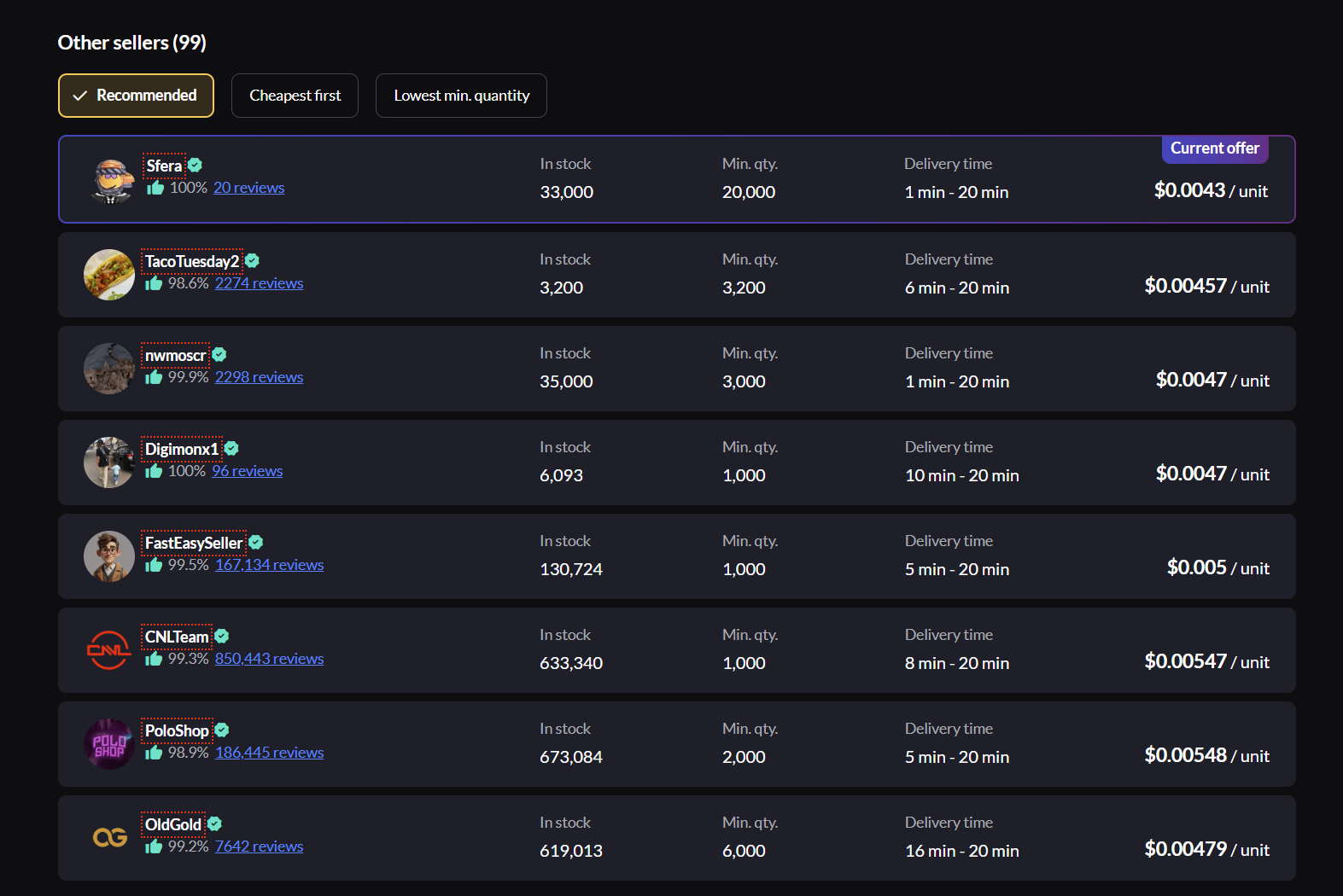
Not all offers are equal — take a moment to vet your seller before buying. Here’s what to check:
- Seller rating — look for sellers with 99% or higher. This percentage reflects how many buyers had a positive experience
- Number of reviews — a seller with 99% from 2,000+ reviews is far more reliable than 100% from 5 reviews
- Delivery time — each offer shows an estimated delivery range (e.g. 1 min – 20 min). Pick sellers with faster estimates if you want Robux quickly
- Stock availability — check the “In stock” amount matches or exceeds how much Robux you need
- Verified badge — the blue checkmark next to a seller’s name means they’ve been verified by Eldorado
2. Choose the amount of Robux you want. Make sure it fits what you’re planning to buy in the game.
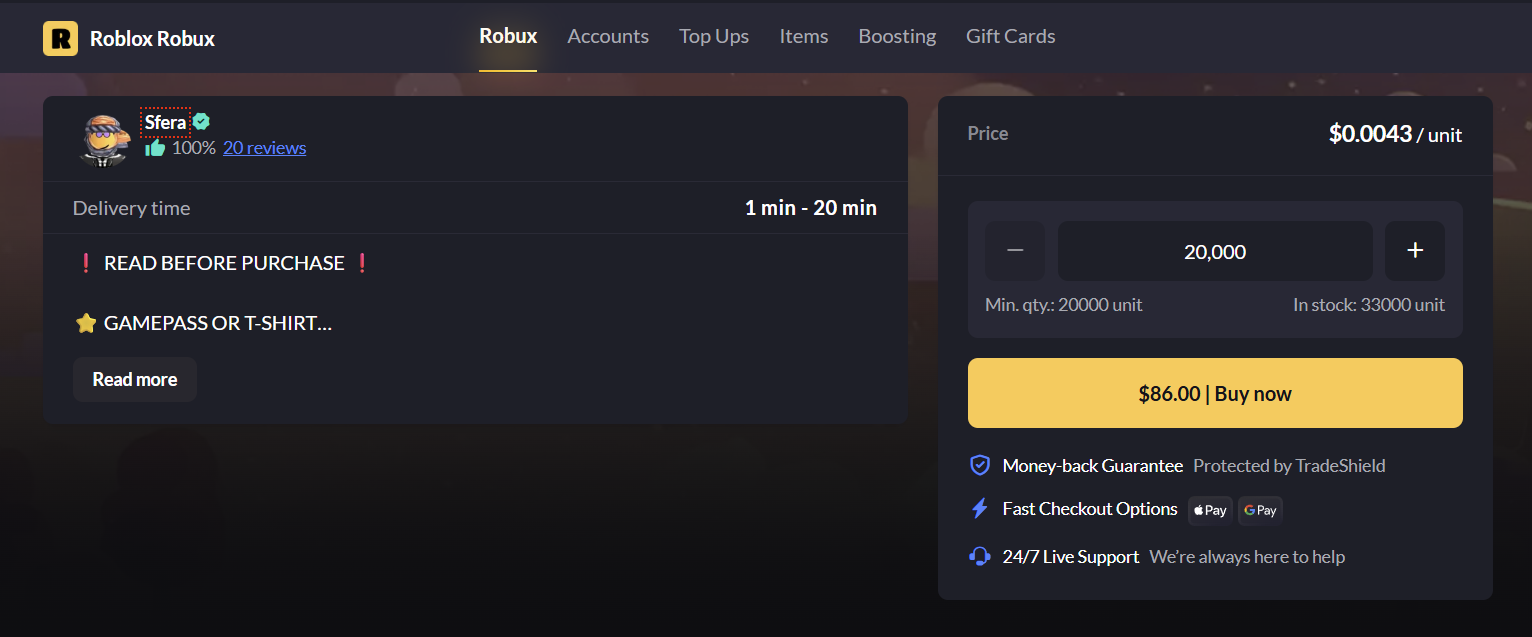
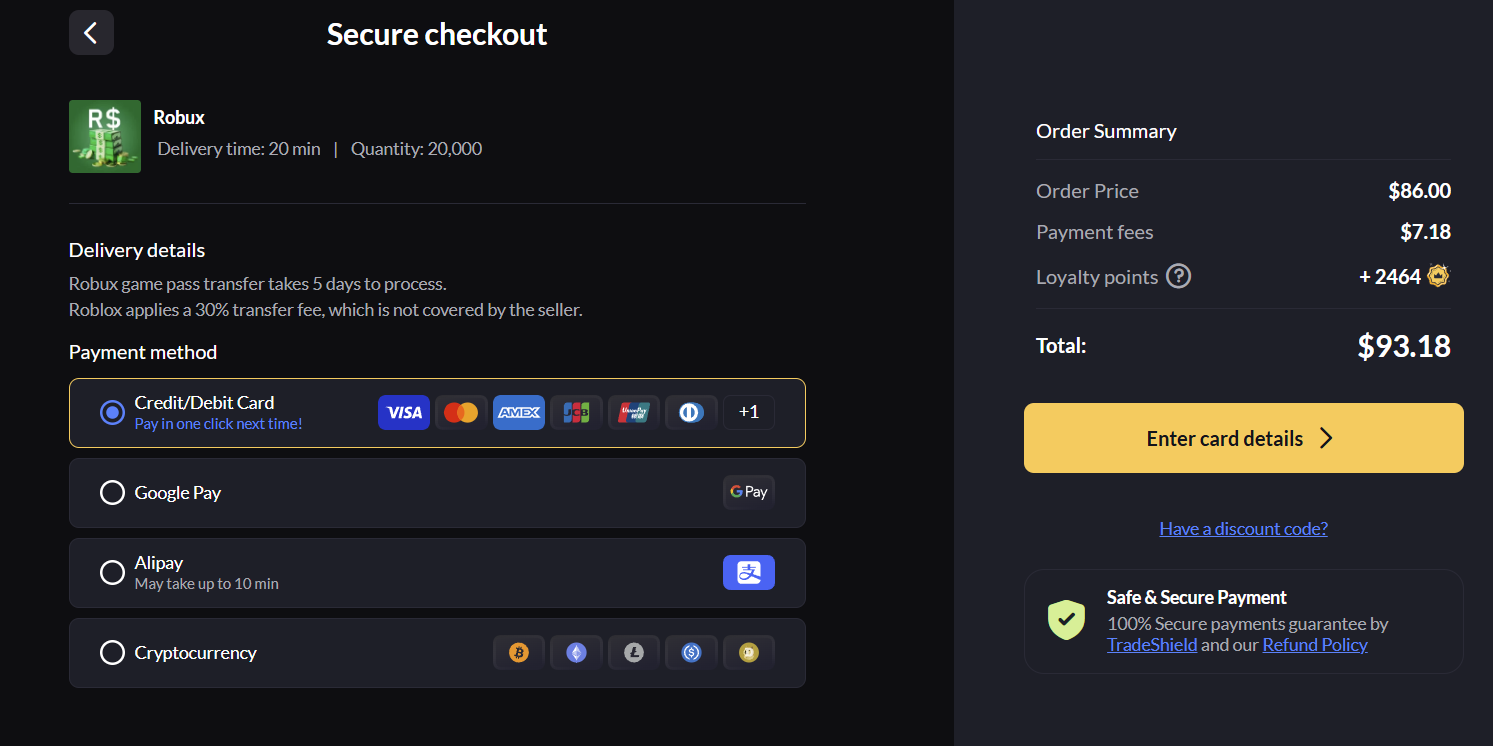
3. Click “Buy Now” and make the payment. Use your favorite way to pay, like a credit card or other online methods. Then press “Continue to payment” and write credit card and billing details. In this step you will also need to write your username in Roblox.
4. Once the payment is confirmed, the chat box will pop up. You can now talk directly to the seller.
This is where all communication with your seller happens. Always keep the conversation inside the Eldorado chat — here’s why it matters:
- It protects you in disputes — every message sent through Eldorado chat is logged and can be used as evidence if you need to open a dispute. Messages sent outside the platform (Discord, WhatsApp, Telegram) cannot be verified and won’t count as evidence
- Never share personal information — don’t give out your email address, phone number, social media handles, or any login credentials in the chat. A legitimate seller only needs your Roblox username to deliver Robux
- Don’t move off-platform if asked — if a seller asks you to continue the conversation on an external platform, treat this as a red flag and report it. This is a common tactic used in scam attempts
- Keep all delivery instructions in chat — when the seller guides you through receiving your Robux, make sure those instructions come through the Eldorado chat so the delivery process is fully documented under TradeShield.
5. The seller will guide you on how to get your Robux. Just follow their instructions and you’ll get your Robux in no time!
6. After you’ve got your Robux, mark the order as “Received” and leave feedback. This step is optional, but it helps the community and supports your seller.
What is TradeShield and how does it protect You?
Every purchase on Eldorado.gg is covered by TradeShield — our built-in buyer protection system that keeps your money safe until you confirm you’ve received your Robux.
How TradeShield works:
- Funds are held securely — when you pay, your money isn’t sent to the seller immediately. It’s held by Eldorado until the transaction is complete
- Seller delivers first — the seller must deliver your Robux before any funds are released to them
- You confirm receipt — only after you mark the order as “Received” are funds released to the seller
- You’re protected if something goes wrong — if the seller doesn’t deliver or there’s an issue, you can open a dispute and get a refund
How to open a dispute: If your Robux don’t arrive or there’s a problem with your order, open a dispute directly in the order chat. Submit screenshots or chat logs as evidence. Our support team reviews cases and typically resolves them within 24-48 hours.
Why keep all chat on-platform: Always communicate with sellers through the Eldorado chat — never move to Discord, WhatsApp, or any external platform. On-platform chat is logged and used as evidence in disputes, which speeds up resolution and protects you if anything goes wrong.
Final thoughts
Knowing how and where is the best place to buy Robux in 2026 is a game-changer. It’s super easy with Eldorado.gg, and you don’t need to stress about the process. Just follow the steps above, enjoy your new Robux, and have fun in Roblox! Want the newest Robux codes? Head to our Roblox codes article for all the latest updates and freebies.