Clash Royale redeem codes are the golden ticket for every player looking to unlock free emotes, banners, or chests—no gems required. Supercell is dropping fresh, limited-time codes all the time, but there’s a catch: most expire in a flash, and the web is crawling with scam sites waiting to steal your account.
This guide breaks down the official ways to claim Clash Royale codes, lists the current working codes for January 2026, and arms you with the know-how to dodge fakes. Want specific cosmetics without endless grinding? Trusted marketplaces like Eldorado.gg can let you skip the hassle (without the risk of shady Discord DMs).
Current working codes (January 2026)
Ready to claim your loot? Here are all the active codes as of January 2026. These codes drop new emotes, banners, and even chests, but if you blink, you’ll miss ‘em. Always redeem ASAP!
Active store codes
- FIREANDICE!! – a banner decoration and a banner frame
- TRUSTYTURRET – a hero musketeer emote
- WHENHOGSFLY! – flying royal hogs emote
- REINABARRIGA – snoring dragon banner set
Enter these codes at the Supercell Store while they’re hot. Codes are single-use per account and vanish without warning.
QR code rewards
There’s a rotation of QR code drops right now. These rewards include:
- 67 emote
- Royal Ghost Boo emote
- Magic Lucky Chest
- Hamelia Hoghart decoration
- Hot Hog Balloon frame
And more can drop at any moment! Scan or tap the latest QR links from official channels.
Single use per account
Don’t waste your time trying a code twice—each one can only be redeemed once per account. Double-check you’re on your main before cashing in.
How to redeem Clash Royale codes
There are two main ways to redeem Clash Royale codes: regular store codes and QR code drops. Both are easy if you know what you’re doing, but each has its own steps.
Store code redemption
- Head to the Supercell Store in your browser.
- Select Clash Royale.
- Log in with your Supercell ID.
- Scroll to the bottom to find “Redeem a Store Code.”
- Enter the code (case and punctuation matter), then hit Submit.
- Confirm and the reward will appear in-game or when you next log in.
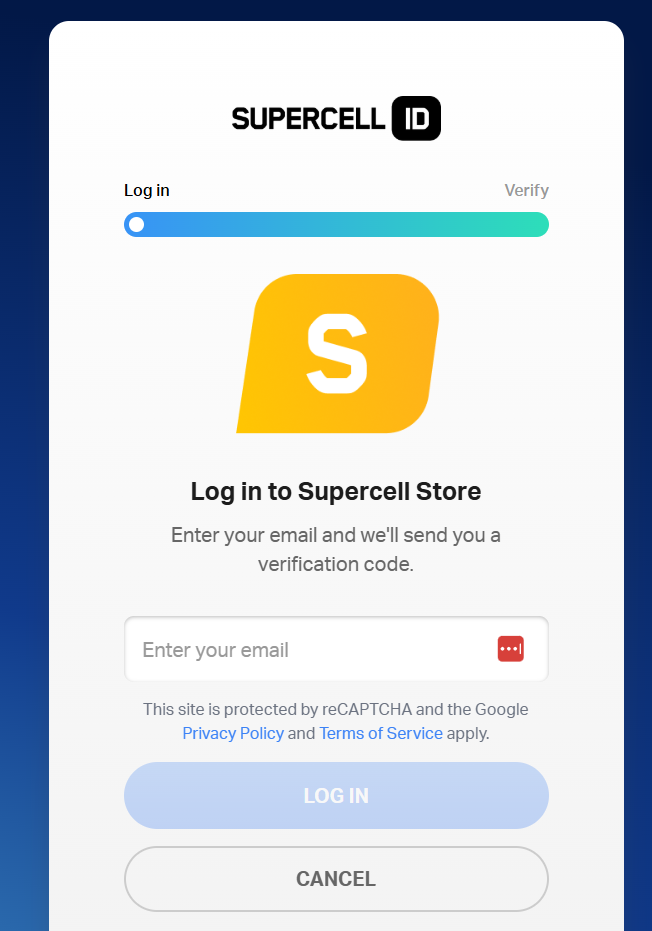
You can use this method as soon as you finish the game’s tutorial. Make sure you’re logged into the right Supercell ID, or your loot might end up on the wrong account.
QR code method
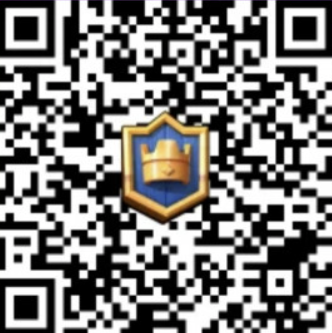
QR codes are Supercell’s slick new way to drop surprise rewards. Just tap or scan the QR link, let it open Clash Royale, and claim your bonus. No camera app needed—the link does the heavy lifting and launches the game straight to a claim screen.
1K gold
6-7 emote
Brightside banner
Flame wizard emote
Hog balloon frame
Hoghart banner
One lucky chest
One lucky chest
One lucky drop
Winter themed banner
Creator codes
Don’t get it twisted, creator codes don’t give you free stuff. They’re for supporting your favorite content creators. Enter a code in the Shop’s Creator Boost section, and a cut of your store purchases helps out that creator. No in-game bonuses, just good vibes.
- adda
- alvaro845
- angskot
- anikilo
- ark
- artube
- ashbs
- ashtax
- aurum
- avi
- axael
- bash
- beak
- bigspin
- brocast
- brunoclash
- bt1
- carbonfin
- chicken
- chiefavalon
- clashjo
- corrupt
- cos
- cptnben
- crux
- cwa
- deckshop
- decow
- doluk
- dougie
- drekzenn
- echo
- elchiki
- ferre
- fullfrontage
- galadon
- garotas
- godson
- gouloulou
- grax
- heybrother
- itzu
- joe
- judo
- june
- kairos
- kash
- klaus
- lex
- lukas
- mbf
- molight
- molt
- moose
- morten
- nana
- nat
- nery
- ninja
- oj
- ouah
- oyungemisi
- puuki
- rey
- romain
- royaleapi
- rozetmen
- shane
- shelbi
- sidekick
- sirtag
- skullcrusher
- spanser
- spiuk
- stats
- sun
- surgicalgoblin
- suzie
- trymacs
- vinho
- wikibarbar
- withzack
- yde
- yosoyrick
- zmot
- zsomac
Common issues and how to fix them
Not every code works on the first try. Here’s how to troubleshoot the usual headaches:
Invalid code or expired
- Double-check for typos, missed caps, or extra spaces.
- Codes expire fast; if one’s not working, it might already be dead.
- Some codes are regional. If you’re locked out, that could be why.
Server glitches
If the store page freezes or errors out, try:
- Clearing your browser cache.
- Switching to incognito mode or a different browser.
- Waiting a few hours—servers get slammed during code drops.
Account mismatch
If you see “Expired” or “Wrong account,” make sure you’re logged into the correct Supercell ID on both the game and Supercell Store. One mix-up and your reward could go missing.
When Eldorado.gg can help
Sometimes codes just won’t get you what you want. Maybe you’re after a maxed account, rare banner, or just don’t have time to grind. Eldorado.gg is your shortcut.
- Skip the grind and buy verified Clash Royale accounts packed with cool cosmetics.
- Want gems, emotes, or exclusive items? Check out Clash Royale gems.
- Looking to boost your Clash Royale game? Choose a boosting service that fits your needs best.
Every trade comes with TradeShield for buyer protection and 24/7 support. No more rolling the dice on sketchy offers.
Just make sure you’re using verified listings, never random DMs or unverified Discord sellers.
Conclusion and quick tips
Play it safe:
- Always redeem codes through the official Supercell Store or QR links from trusted sources.
- Claim them fast—expiration is brutal.
- Never trust sites asking for your login or promising “unlimited gems.”
- For hard-to-get rewards, stick with verified marketplaces like Eldorado.gg.
Now you’re geared up to grab every freebie without risking your account. Get out there and flex those new emotes before they’re gone!